Everything you can do
and how to do it
The assistant, visitor intelligence, your pipeline and your team's boards. Written for someone who has never opened it before — with a screenshot of every screen.
🚀Getting started
Three things before anything else: sign in, teach it about your business, put it on your website.
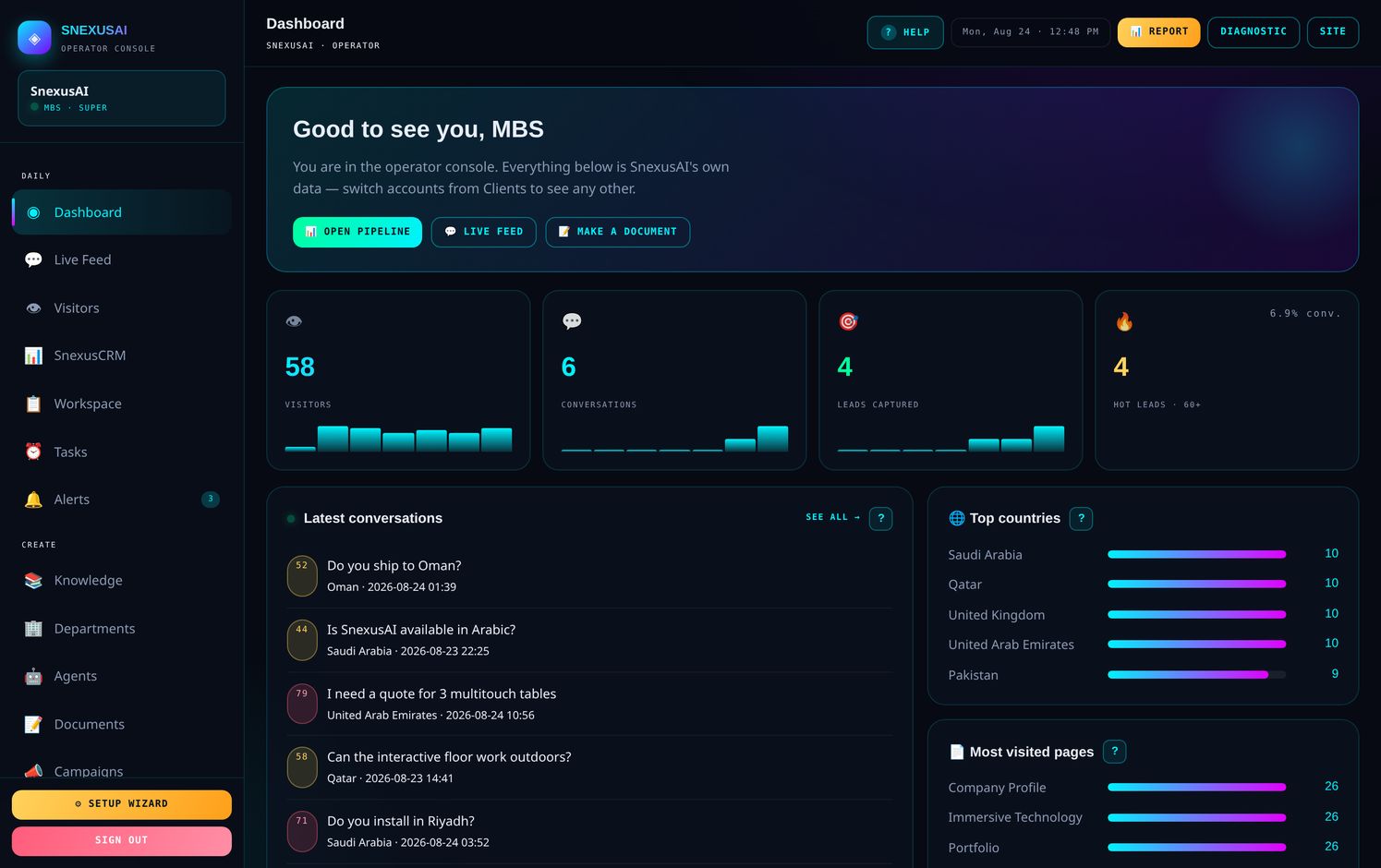
What you are looking at
| Your plan | Included |
|---|---|
| Starter | The assistant, visitor intelligence, your pipeline and your team's boards. |
| Price | $95 per month |
| Team logins | 3 |
| Conversations | 2,000 per month |
📚Teach it about your business
This one file decides how good every answer is. Nothing else matters as much.
The assistant only knows what you write here. It will not invent a price, a delivery time or a product it has not been told about — which is exactly what you want, but it means thin knowledge gives thin answers.
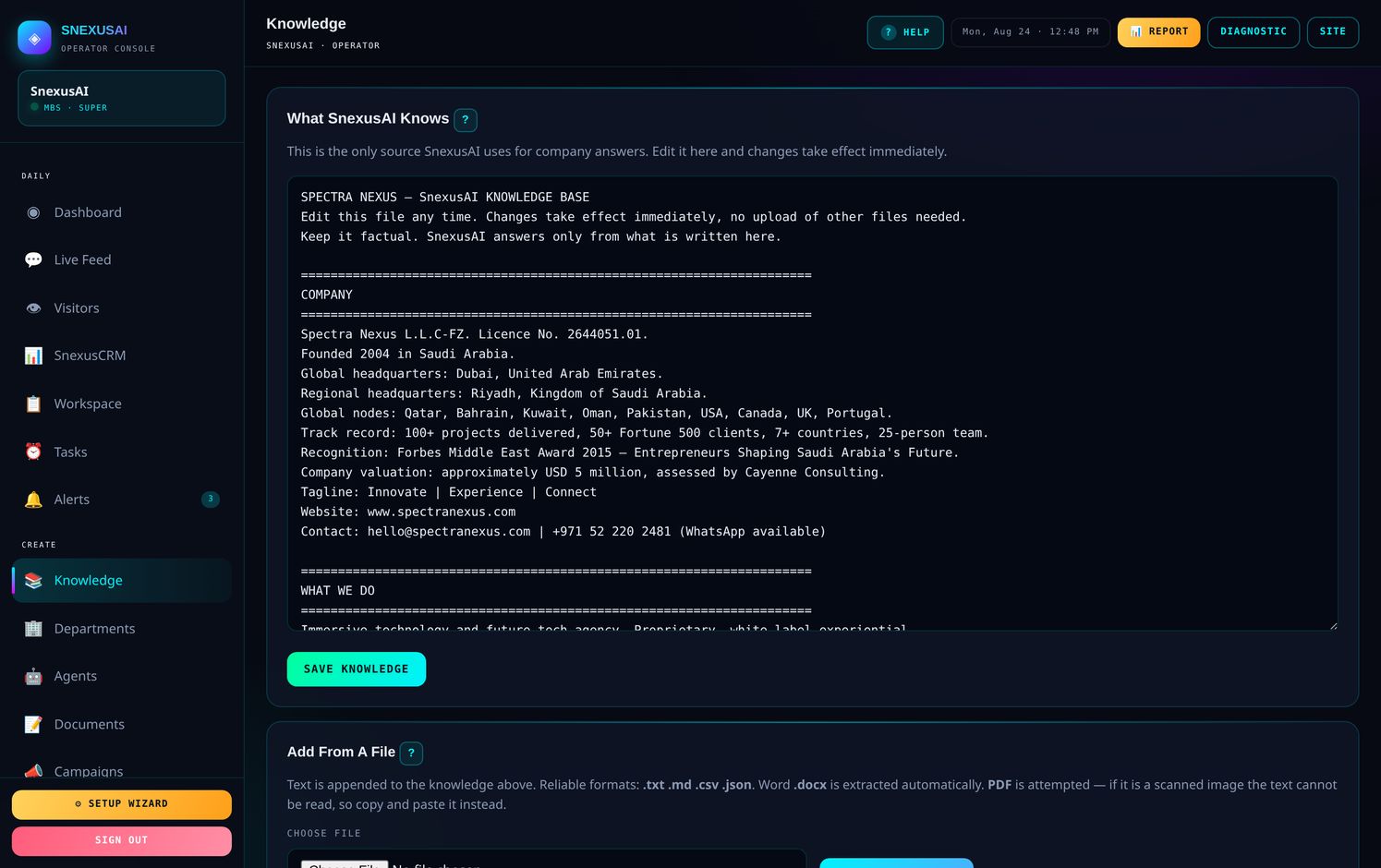
How to write it
- Plain headings, facts underneath — not marketing paragraphs
- Short lines beat long ones; it repeats what it reads
- Remove old prices the same day, or it will quote them as current
- Write what you do not do, so it stops offering it
- Never put passwords, codes or bank details in it
Content gaps
Underneath the file you will find every question the assistant could not answer. That list is your to-do — each one is a real person who asked something and did not get a proper reply.
💾Put it on your website
One line of code, pasted once. It then works on every page of your site.
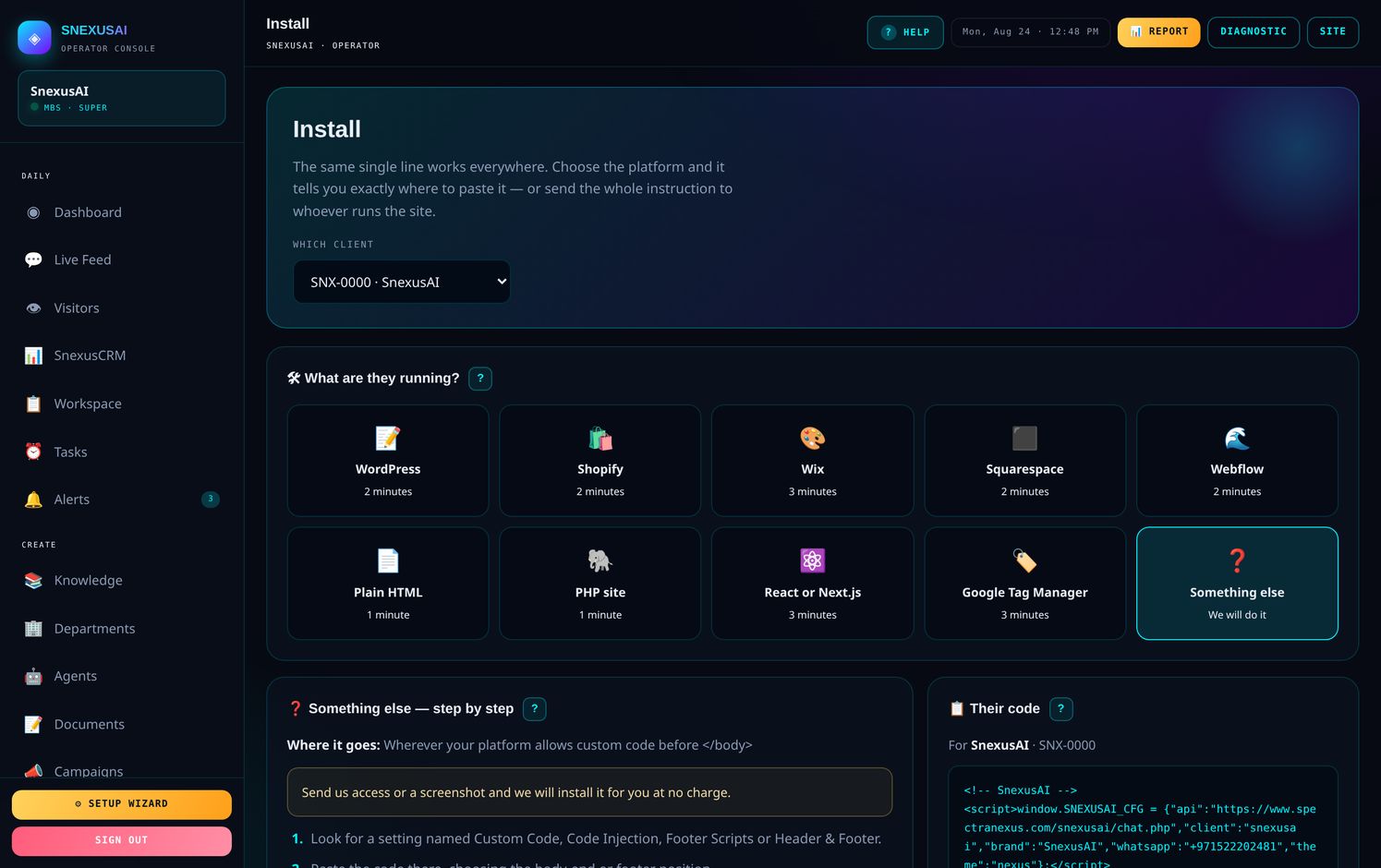
Open Install. It guesses your platform from your website address and shows step-by-step instructions for that platform. If somebody else runs your website, press SEND FULL INSTRUCTIONS and the whole thing goes to them on WhatsApp — steps, the code, everything.
Where the code goes on each platform
| Platform | Where | Time |
|---|---|---|
| WordPress | Install the free WPCode plugin → Header & Footer → Footer box | 2 min |
| Shopify | Online Store → Themes → Edit code → theme.liquid, before </body> | 2 min |
| Wix | Settings → Custom Code → Body – end, all pages | 3 min |
| Squarespace | Settings → Advanced → Code Injection → Footer | 2 min |
| Webflow | Project Settings → Custom Code → Footer Code, then Publish | 2 min |
| Plain HTML | Every page, just above </body> | 1 min |
| PHP site | Your shared footer.php — one paste covers the site | 1 min |
| React / Next.js | public/index.html, or next/script in your layout | 3 min |
| Google Tag Manager | New Tag → Custom HTML → trigger All Pages | 3 min |
Beyond your website
💬Live Feed
Every conversation as it happens, scored so you know who is worth a phone call.
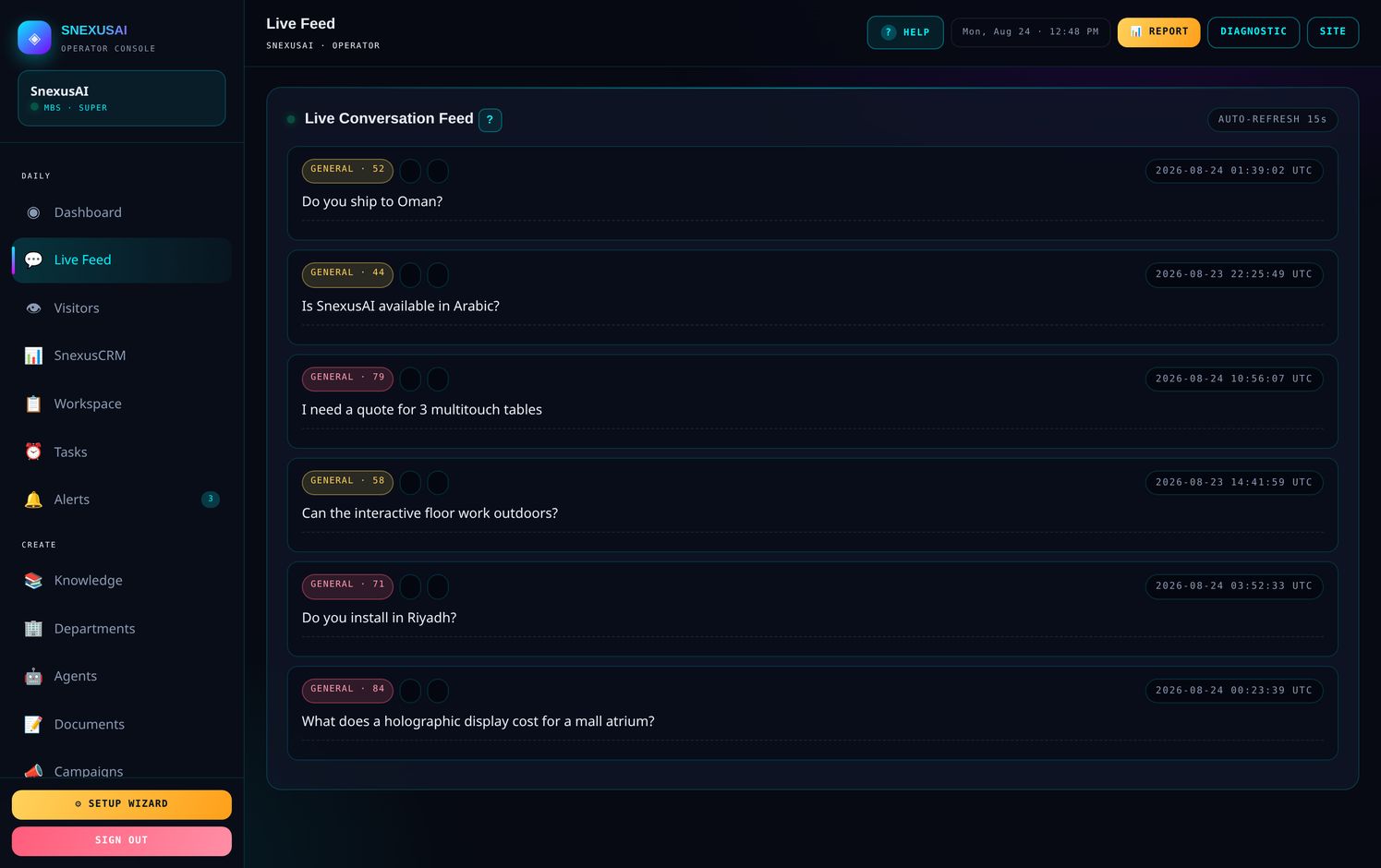
The number beside each conversation is an intent score out of 100. It reads what the person asked, not just how long they stayed.
| Score | What it means | What to do |
|---|---|---|
| 60 and above | Serious buyer — asked about price, investment, or wanted to talk | Call today |
| 30 to 59 | Genuine interest, still looking around | Follow up this week |
| Under 30 | General curiosity | Leave it |
| Red | Medical, legal, financial, or a complaint | A person should reply |
👁️Visitors
Everyone on your website, whether or not they said a word.
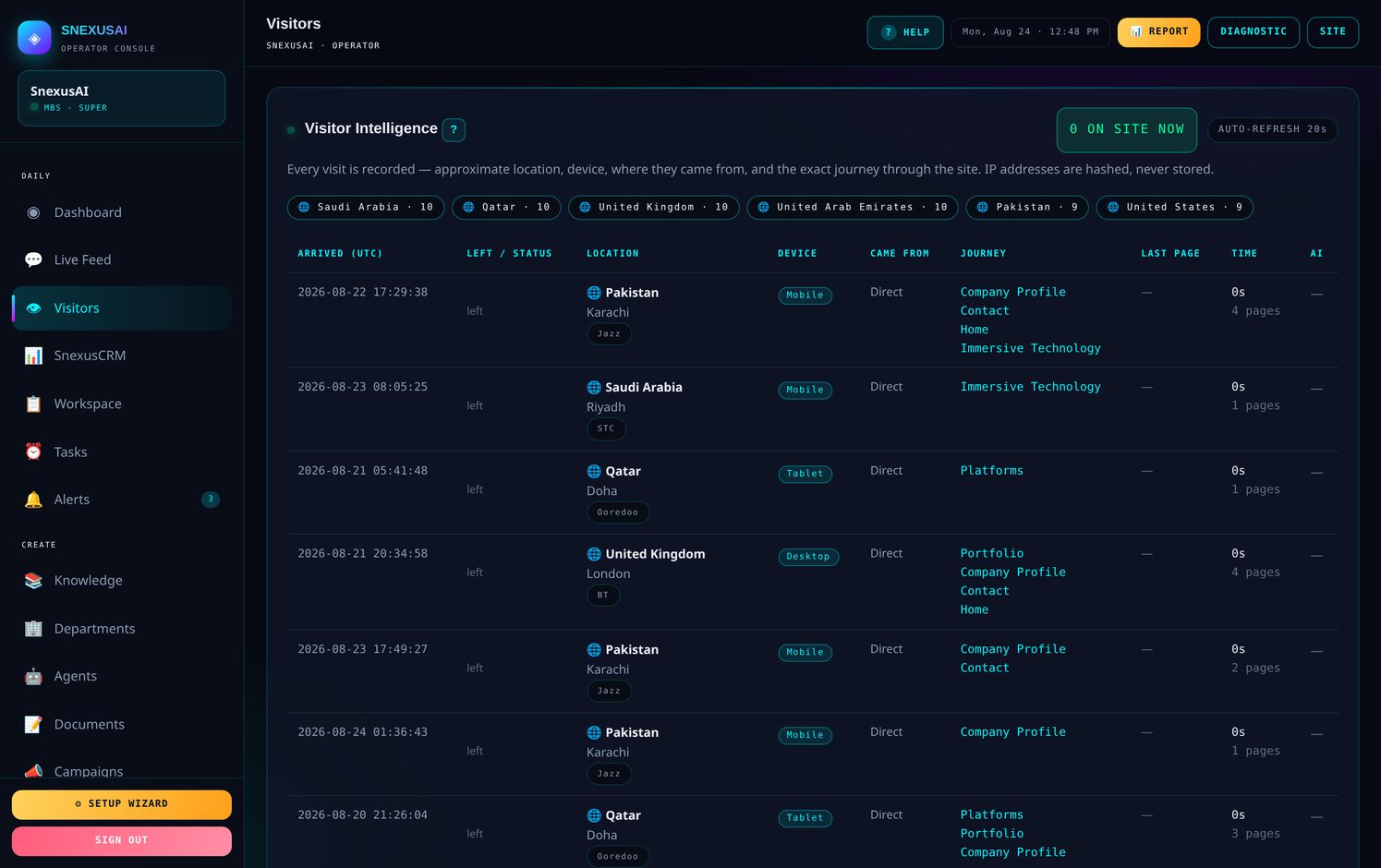
- Country, city, device and network
- Every page in the order they read it, with seconds spent on each
- A green dot means they are browsing right now
- IP addresses are hashed, never stored
📊SnexusCRM
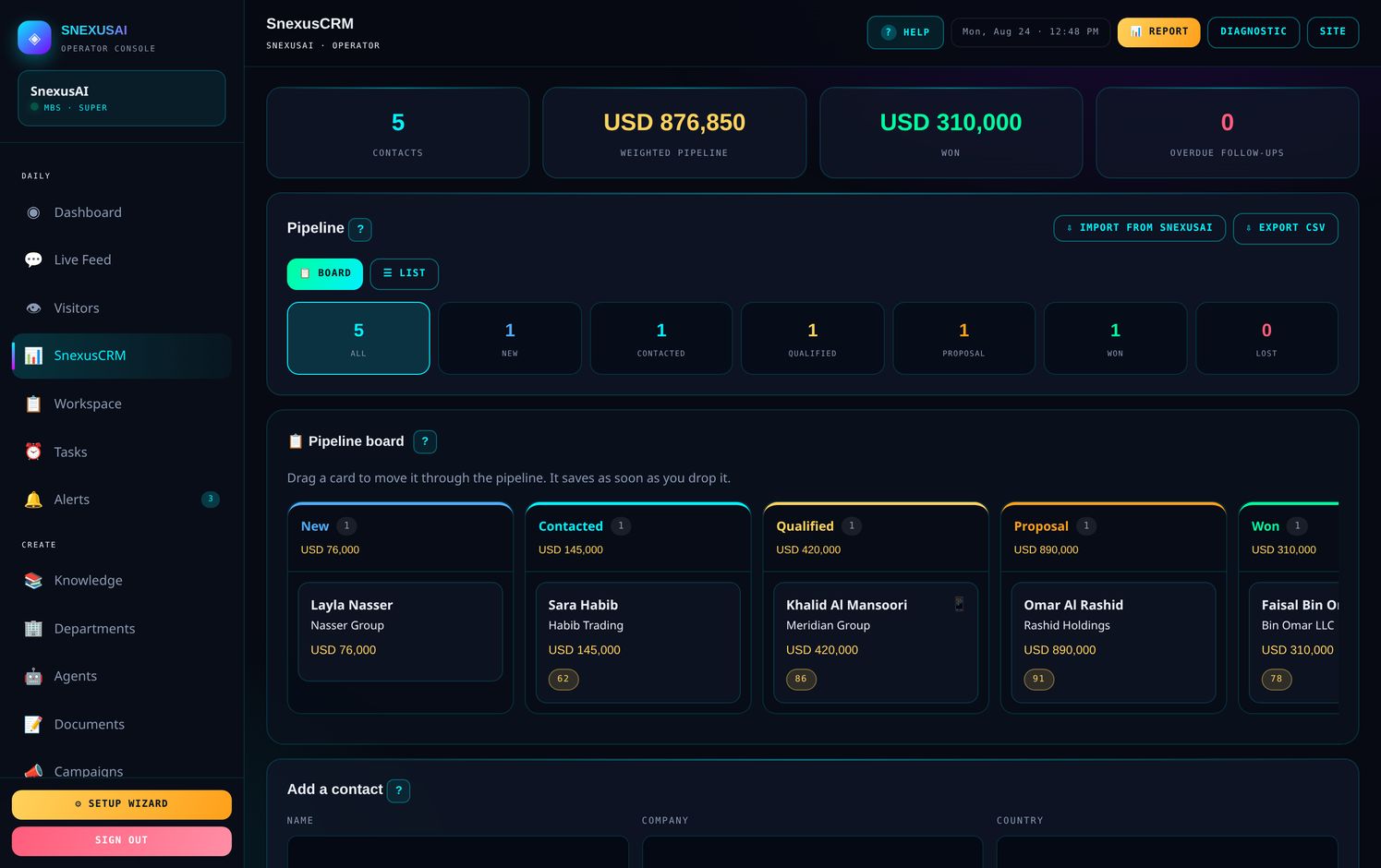
Your sales pipeline. Drag a card, it saves.
📄Reports
What happened, what it means, and what to do next.
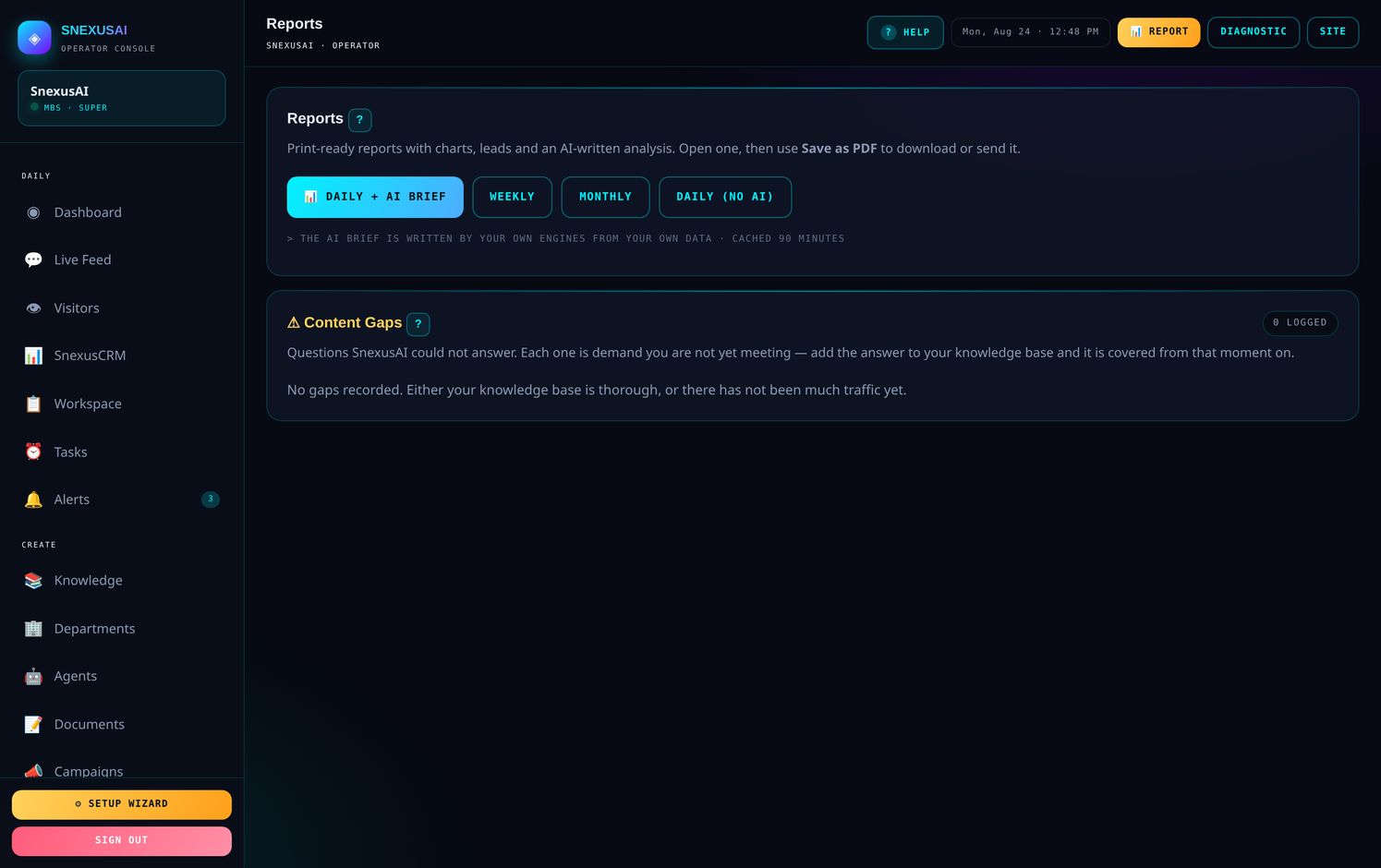
- Daily, weekly or monthly
- A written analysis, not just numbers
- Save as PDF straight from your browser
- Send it to anyone who needs it
📋Workspace
Your team's own boards. Not leads — the actual work.
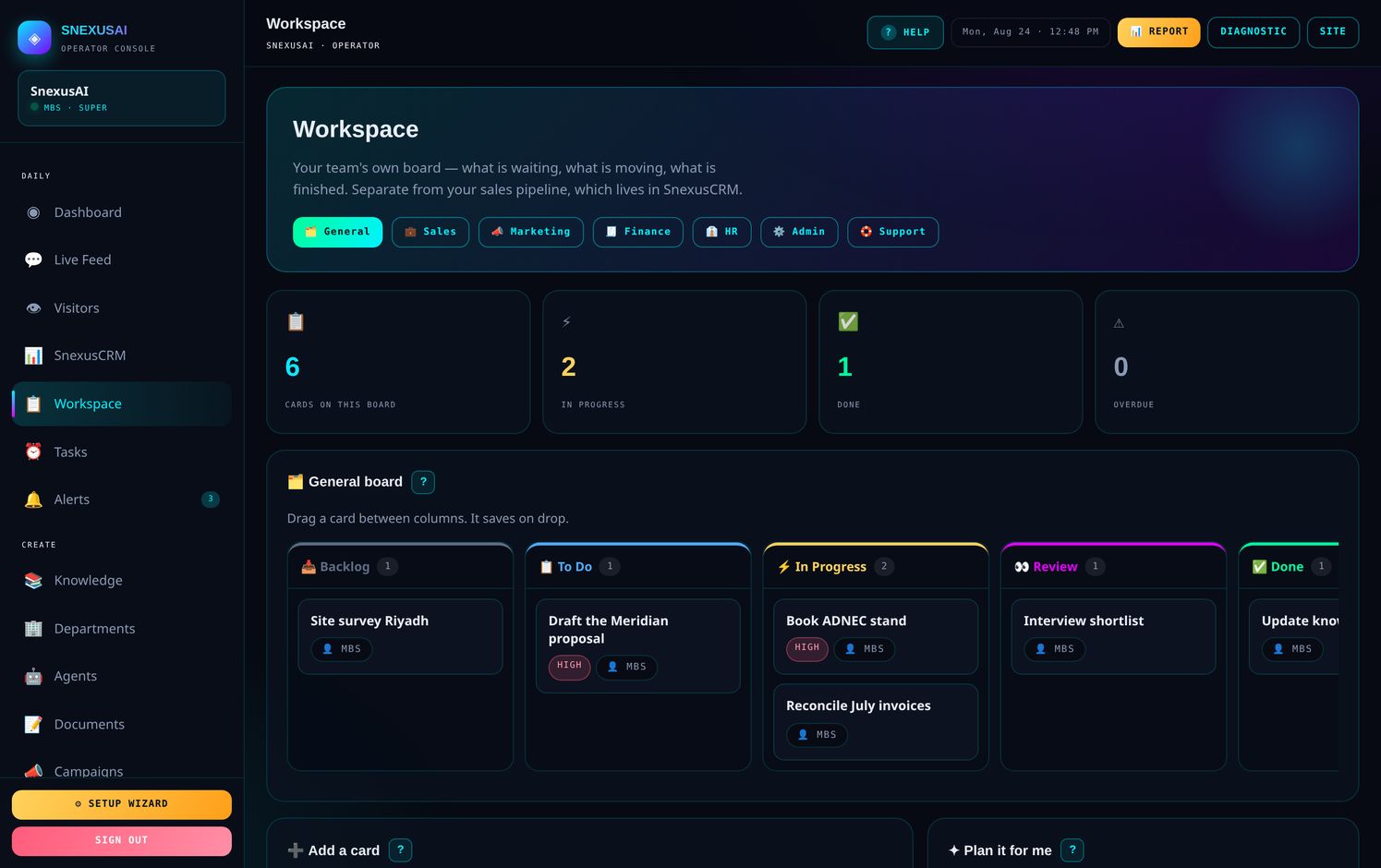
Seven boards: General, Sales, Marketing, Finance, HR, Admin and Support. Five columns each, from Backlog through to Done.
- Drag cards between columns, exactly like the CRM
- Each card holds an owner, due date, priority, labels and a comment thread
- Overdue cards turn red
- Plan it for me — describe a goal and it writes the cards for you
🔔Smart Alerts
Rules that watch your account and act on their own.
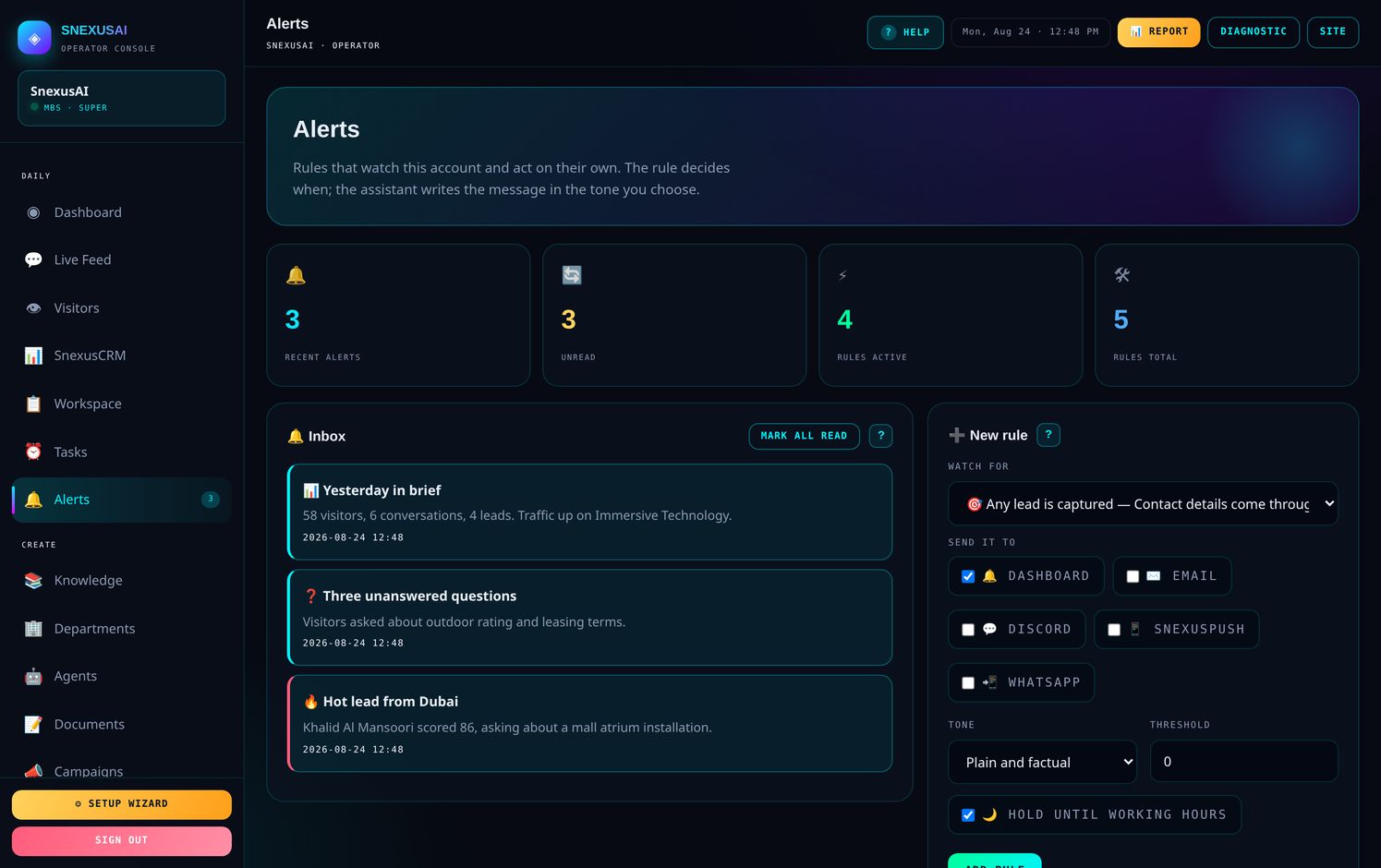
Five sensible rules are already switched on. The one that matters most is hot lead — when somebody scores above 60, you hear about it straight away.
What it can watch for
- A hot lead arrives
- Any lead is captured
- A question goes unanswered
- A sensitive topic comes up
- A quiet day
- An unusually busy day
- A follow-up falls due
- A lead goes cold
- Every morning, a written brief
Where it sends
⭐Getting more out of it
Five habits that separate the accounts that thrive from the ones that drift.
When something is not working
| Problem | Almost always |
|---|---|
| It gave a wrong answer | The knowledge file is thin or out of date. Fix it there. |
| Nobody is using it | Check the code is on every page — open Install. |
| Too many alerts | Open Alerts and raise the threshold or narrow the rules. |
| Someone left the company | Remove their login in Team Access straight away. |
Stuck on anything?
Press 💬 SUPPORT in your dashboard sidebar and it reaches us with your account details already attached. Or message us directly.